11:20 ~ 12:00 Meerkat
Why engineers' opinions don't come through: Practical tips for engineers to influence product decision-making 2026.09.03 11:20 ~ 12:00 Otter
Handling HDR media in Android without breaking it
Android Platform 日本語 Interpretation available
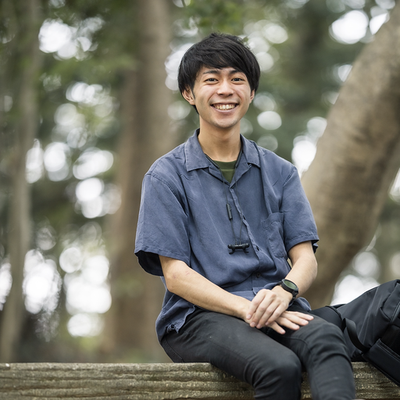 Kazuki ChigitaAndroid Application Developer
Have you ever experienced opening photos or videos taken with an Android device's camera in another app, only to find that the vividness from when it was shot was gone and looked strangely pale, or bright areas were completely blown out? In recent years, Android has been advancing support for HDR (High Dynamic Range), a technology that expresses a wide range of luminance and color gamut from dark to bright areas close to the dynamic range of the human eye. Feature additions are progressing, such as Ultra HDR introduced in Android 14, tone mapping improvements for HDR screenshots in Android 15, and Ultra HDR support for HEIC in Android 16. On the other hand, HDR has multiple standards such as HDR10 / HDR10+ / Ultra HDR / Dolby Vision / HLG, and adopted formats vary depending on the device or content. If the app fails to handle these properly, blown-out highlights or failed color space conversions causing washed-out colors will affect core aspects of the user experience. Android provides APIs to handle these. For simple display or playback, Glide or Media3 ExoPlayer abstracts most of it, allowing you to leave it to the library. However, when trying to satisfy advanced requirements like media editing, thumbnail generation, sharing, or previews with custom filters, developers must appropriately consider and address API layers usually kept out of mind, such as ColorSpace / Gainmap / DataSpace. Meanwhile, since this work requires knowledge of both Android APIs and image processing, handling it is often far from straightforward. In this session, we will speak starting from examples of HDR media breakdowns that the speaker actually encountered or could encounter during the implementation process in developing media-focused Android apps centered around photos and videos. To delve deep into the causes, we will go down to API layers like ColorSpace / Gainmap / DataSpace, and explain in a reverse-lookup format based on actual issues encountered the knowledge required to bridge media itself—such as Bitmaps and video frames—to the app without "breaking" it. Specifically, we plan to cover the following: - What is HDR: Sorting out relationships among HDR10 / HDR10+ / Ultra HDR / Dolby Vision / HLG - Relationships and usage of HDR-related APIs provided by Android (ColorSpace, Gainmap, DataSpace, etc.) - Understanding what Glide / Media3 are doing—and not doing—under the hood - Case studies based on concrete examples: Causes, countermeasures, and debugging methods for patterns like blown-out highlights, washed-out colors, and loss of Gainmap - Operational challenges such as OS version and device-specific issues After listening to this session, you will be able to break down and understand the layers abstracted by Glide / Media3, and determine what needs to be done to express HDR in your app's media pipeline without "breaking" it. (Translated by the DroidKaigi Committee)
View slidesIntended audience
- Those who are developing Android apps centered around media (photos and videos) - Those who want to understand unfamiliar concepts such as ColorSpace and Gainmap required for HDR support - Those who are trying to tackle custom media expressions that Glide / Media3 alone cannot cover
Sessions in the same time slot
11:20 ~ 12:00 Narwhal
Make AI write Inclusive UI — Rebuilding Compose UI with Design Rules Skill 11:20 ~ 12:00 Panda
High-Performance, Expressive Remote UI: Deep Dive into RemoteCompose